Pay with your phone using Google Pay and Apple Pay
Add your IMBA Wallet virtual card to your phone and pay like with a regular bank card: in stores, cafes, hotels, taxis, travel locations, and other offline points worldwide.
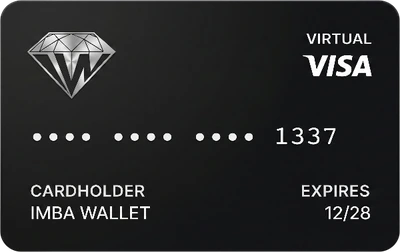
Benefits of paying through Google Pay and Apple Pay
A virtual card on your phone solves several problems at once: no need to wait for plastic, carry the card, open a foreign bank account, or rely only on cash. You issue the card in IMBA Wallet, add it to Google Pay or Apple Pay, and pay with your phone wherever contactless terminals are available.
| Benefit | What it gives you |
|---|---|
| Phone payments | In stores, cafes, hotels, taxis, and travel locations, just tap your phone on the terminal like a regular card. |
| Less cash | No need to carry large amounts, search for exchangers during a trip, or depend only on cash payments. |
| Cheaper than many foreign cards | Opening a card abroad often costs $500-1000 on the market. In IMBA Wallet, a card may cost only $10-50, depending on product terms. |
| Managed in IMBA Wallet | Balance, top-up, transaction history, freeze, and unfreeze actions are available in the app. |
| Safety if the phone is lost | If you lose your phone, you can log in through email or Telegram and quickly block the card in the app. |
How it works: from registration to the first payment
Adding a card to Google Pay or Apple Pay feels similar to adding a regular bank card, but the card itself is issued in IMBA Wallet. After confirmation, it becomes available in your phone wallet.
Register in IMBA Wallet. Create an account and set up basic security to manage the card and access to funds.
Open a virtual card. Issue a card in the app and check the details needed for phone wallet activation.
Add the card to Google Pay or Apple Pay. Open your phone wallet and start adding the card, if the method is available for your device, region, and card.
Receive the confirmation code. The code may arrive in the Telegram bot, in the app notification section, or by email.
Confirm the card. Enter the code in Google Pay or Apple Pay. After confirmation, the card is added and ready for payment.
Important: availability of Google Pay and Apple Pay depends on the device, region, payment network, and specific card rules. If the method is available, payment works normally: unlock the phone, tap the terminal, and get confirmation.
Where you can pay with your phone
After the card is added, you pay in offline locations just like with a local bank card on your phone. This is useful in everyday life and especially helpful while traveling, when you do not want to think about cash, exchangers, or local banks every time.
| Where | How payment works |
|---|---|
| Stores and supermarkets | Tap your phone on the cashier terminal and confirm payment with your phone unlock method. |
| Cafes and restaurants | Pay the bill on a terminal without a plastic card and without cash. |
| Hotels and trips | Use the card for everyday travel expenses when the terminal accepts contactless payments. |
| Taxis and transport | Pay with your phone where contactless card payments are supported. |
Who this is especially useful for
Google Pay and Apple Pay with an IMBA Wallet card are not only for travel. This is an everyday scenario for people who need a card on their phone, quick access to balance, and clear spending control.
| Scenario | Why it helps |
|---|---|
| Travelers | Pay by phone in stores, cafes, hotels, and taxis without constantly exchanging cash. |
| Relocated users and digital nomads | No need to open an expensive foreign card immediately just to cover everyday payments. |
| Freelancers and remote workers | USDT balance and card are close together, making it easier to top up the card and control daily expenses. |
| Online shoppers | One card can support everyday offline phone payments and regular purchases wherever cards are accepted. |
| Users topping up with local currency | Top up USDT through available local routes, fund the card, and use the phone for travel and everyday payments. |
Why it is convenient for travel and everyday life
The main value of a card in Google Pay or Apple Pay is that it is always with you. You do not need to carry plastic, remember cash reserves in every country, find an exchanger, or open an expensive foreign card just for daily payments.
| Scenario | IMBA Wallet | Foreign bank card | Cash |
|---|---|---|---|
| Cost of card access | A virtual card may cost $10-50. | Opening a card abroad often costs $500-1000 and requires extra steps. | Currency exchange is required, and the real rate or fees may become clear only on the spot. |
| Everyday payments | Your phone works like a card on a terminal. | Convenient if the card is already opened and works in the country you need. | You need to carry bills, handle change, and deal with places that do not accept cash. |
| Expense control | Balance, top-ups, and operations are visible in IMBA Wallet. | Depends on the bank app and access to the account abroad. | Full spending history is hard to track without manual notes. |
| Security | The card can be frozen, unfrozen, or blocked in the app. | If the card is lost, you need to contact the bank and wait for support. | Lost cash is almost impossible to recover. |
Additional IMBA Wallet benefits
- USDT top-up is simple if you already hold crypto and do not need a foreign bank account.
- For users who top up with local currency, the route is straightforward: top up the USDT balance through available channels, then top up the card.
- One service for USDT and cards means fewer switches between exchangers, exchanges, banking apps, and expense notes.
- Transaction history in IMBA Wallet makes it easier to control spending while traveling.
- Flexible card controls such as freezing, unfreezing, top-up, and balance checks stay in one app.
For the user, this is not just another card. It is a combination of USDT balance, virtual card, phone payments, and clear spending control in one place.
Card + travel eSIM in one app
If Google Pay on Android needs a foreign SIM, buy travel eSIM in IMBA Wallet — pay from USDT balance, activate via QR. Card and mobile data on the trip without separate services.
Learn more about travel eSIM in IMBA Wallet — mobile data in 150+ countries and a foreign connectivity profile for Google Pay and Apple Pay.
FAQ: Google Pay, Apple Pay, and IMBA Wallet virtual cards
Can I pay without a plastic card?
Yes. If the card is successfully added to Google Pay or Apple Pay, the phone works like a contactless card on a terminal.
Where do I get the confirmation code?
The code may arrive in the Telegram bot, in the app notification section, or by email. After entering the code, the card is confirmed in Google Pay or Apple Pay.
Can I freeze the card?
Yes. You can freeze and unfreeze the card in the app, and quickly block it if your phone is lost after logging in through email or Telegram.
Do I need a foreign bank account?
For USDT-based top-ups, a foreign bank account is not needed. Depending on available channels, you can top up USDT, fund the card, and pay with your phone.
Do I need a foreign SIM card for Google Pay?
On some Android phones, Google Pay requires a foreign SIM card or eSIM. After you switch to it, Wallet becomes Google Pay and you can add your IMBA Wallet virtual card.
What if Apple Pay won't add a card in Russia?
A foreign phone number is usually not required, but you may need to change your iPhone region from Russia to another country in Settings. If you have active App Store subscriptions, you can cancel them first. Another option is to create a second Apple ID with a different country on the same iPhone and add the card there. It is less convenient, but it works when you need to pay with your phone abroad.